Note: The creation of this article on testing Pointer Gestures was human-based, with the assistance of artificial intelligence.
Explanation of the success criteria
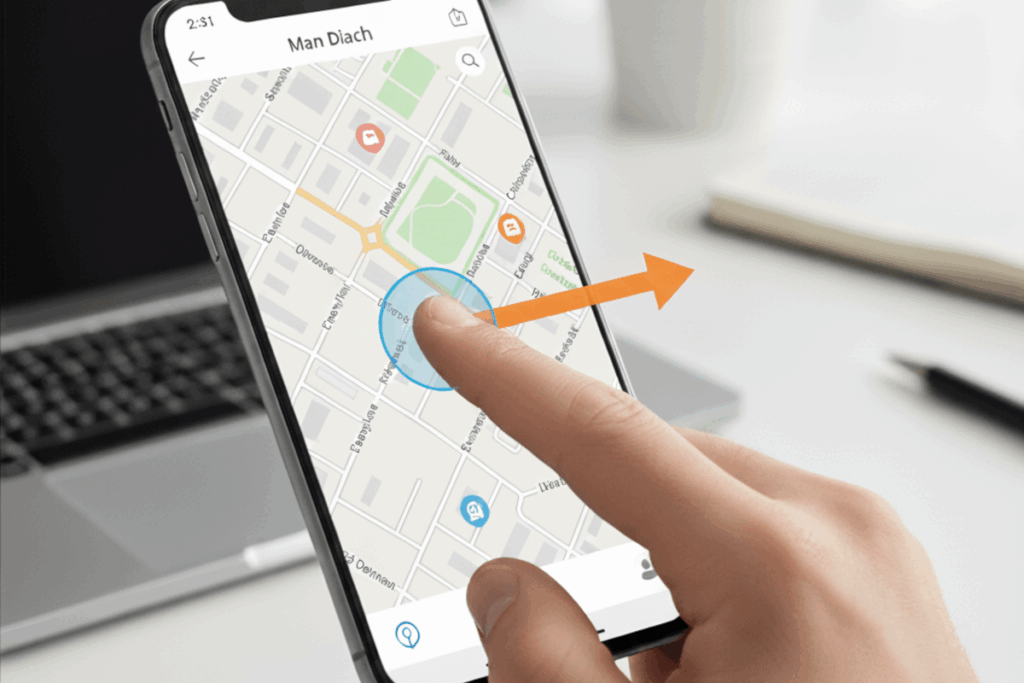
WCAG 2.5.1 Pointer Gestures is a Level A conformance level Success Criterion. It ensures that all users, regardless of dexterity, motor ability, or input method, can fully engage with a website or application. Complex gestures such as pinching, swiping, or dragging must have a simple, single-point alternative like a tap or click. This requirement ensures that users who rely on assistive technologies, or those with limited motor control, are not excluded from essential functionality. The only exceptions are cases where complex gestures are intrinsic to the experience itself, such as multi-touch drawing or rotation tools. By designing interfaces that don’t rely solely on intricate gestures, developers not only meet compliance requirements but also demonstrate empathy through inclusive design.
Who does this benefit?
- People with limited dexterity or motor impairments, who may struggle with multi-finger or precise gestures like pinching or dragging.
- Users with tremors or reduced fine motor control, who may find complex gestures difficult or impossible to perform accurately.
- Individuals using assistive technologies such as head pointers, mouth sticks, or eye-tracking systems, which often only support single-point input.
- Users operating devices with a single input method, such as a stylus, trackball, or single-button mouse.
- People using screen readers or switch controls, who benefit from simpler, more predictable interactions.
- Older adults, whose motor skills or touch precision may be reduced.
- Anyone using smaller touchscreens or non-standard devices, where complex gestures can be unreliable or misinterpreted.
Testing via Automated testing
Automation provides the first layer of defense in identifying gesture-based accessibility barriers. Automated tools can scan code for touch or pointer event patterns (touchstart, touchmove, pointerdown) that suggest gesture reliance. This makes automation invaluable for early detection, continuous monitoring, and integration into CI/CD pipelines, helping teams catch issues before they scale. However, automation lacks nuance. It cannot distinguish between decorative gestures and functional ones, nor can it confirm whether an accessible alternative exists. Automation excels at discovery, but it doesn’t understand intent. It’s the diagnostic scan, not the diagnosis.
Testing via Artificial Intelligence (AI)
AI-driven testing elevates the process by introducing context and simulation. Through computer vision, interaction modeling, and predictive analysis, AI can mimic user behaviors, tapping, pinching, dragging, and assess whether each gesture-based function responds accessibly. It can flag missing affordances, highlight inconsistent gesture responses, and predict where users may struggle. This level of simulation gives teams deeper insight into the real-world impact of inaccessible gestures. Yet AI, for all its sophistication, cannot fully interpret creative intent or human perception. It may misclassify gestures that are intentionally complex for artistic or functional reasons. Still, AI testing adds a powerful layer of intelligence that bridges the gap between code-level detection and experiential understanding.
Testing via Manual Testing
Manual testing brings the human perspective, the cornerstone of accessibility validation. Skilled testers physically interact with the product on multiple devices, confirming whether each gesture-based feature can be completed with a simple tap, click, or equivalent action. They assess discoverability, intuitiveness, and consistency across input types and environments. Manual testing goes beyond compliance; it evaluates usability and ensures that alternatives feel natural and equitable for all users. Though time-intensive, it is irreplaceable. It’s the stage where accessibility transforms from a technical checkbox into a meaningful human experience.
Which approach is best?
No single testing method captures the full nuance of WCAG 2.5.1 Pointer Gestures. Ensuring that all complex gestures, like pinch, swipe, or drag, have equivalent simple pointer alternatives requires a hybrid approach that balances automation, AI, and human expertise. When these layers work together, they provide both breadth and depth: broad detection through automation, intelligent context through AI, and real-world validation through manual testing.
Start with automation to establish a foundation. Automated tools can scan source code and event handlers to identify patterns like touchstart, touchmove, or pointerdown events, early signals of gesture-based functionality. This allows teams to efficiently flag areas that may rely on complex interactions. Integrating these checks into CI/CD pipelines ensures regressions are caught before they reach production. However, automation’s strength lies in detection, not interpretation, it can’t tell whether those gestures have accessible alternatives or whether the functionality depends on them.
AI-based testing builds on that foundation by introducing context. Using computer vision and interaction simulation, AI can mimic user behaviors, tapping, dragging, or pinching on various devices, to assess how the interface responds. It can detect when interactions require precision, multi-touch input, or sequential gestures, and can identify missing visual or interactive cues. More importantly, AI can help prioritize risks by estimating the impact of inaccessible gestures on overall usability. Yet, even the most advanced AI models can’t fully grasp human intent or creative design, which is why human testing remains irreplaceable.
Manual testing completes the picture. Skilled accessibility testers interact directly with the product on real hardware, confirming whether every gesture-based function can be achieved with a simple tap, click, or equivalent control. They evaluate not just technical compliance, but user experience, ensuring that alternatives are discoverable, intuitive, and consistent across touch, mouse, and assistive input methods. This is where insight meets empathy, turning compliance into inclusive design.
When these three approaches operate in harmony, WCAG 2.5.1 testing evolves beyond compliance, it becomes a practice of digital empathy. This hybrid model empowers teams to not only find and fix issues but to build experiences that honor every user’s ability to interact, engage, and create. True accessibility isn’t just about simplifying gestures, it’s about ensuring that technology bends to human diversity, not the other way around.

One thought on “Testing Methods: Pointer Gestures”
Comments are closed.