Note: The creation of this article on testing Target Size (Minimum) was human-based, with the assistance of artificial intelligence.
Explanation of the success criteria
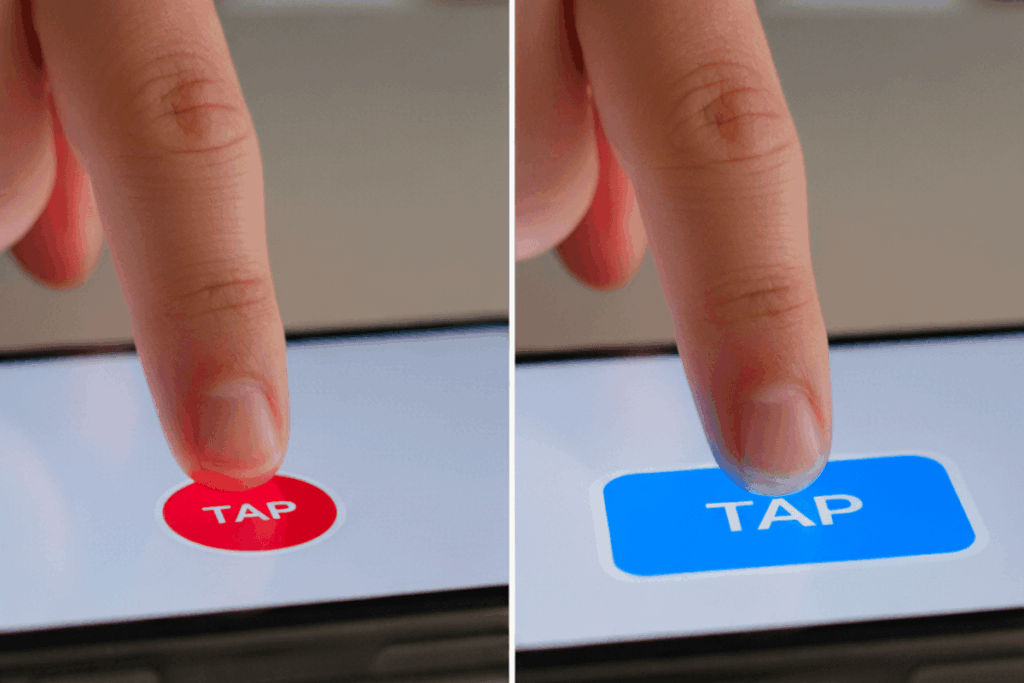
WCAG 2.5.8 Target Size (Minimum) is a Level AA conformance level Success Criterion. It addresses one of the most fundamental aspects of inclusive design: making sure people can actually activate interactive controls. It requires that targets, such as buttons, links, and form inputs, be at least 24 by 24 CSS pixels or provide equivalent usability through sufficient spacing or other compensating design techniques.
This criterion might seem simple at first glance, but its impact is profound. Tiny or tightly packed interactive elements can quickly become barriers for users with limited dexterity, tremors, or motor impairments, as well as for anyone using a touchscreen, stylus, or assistive input device. Ensuring adequately sized or well-spaced targets reduces accidental activations, minimizes frustration, and enhances overall usability across all devices and input methods.
In essence, WCAG 2.5.8 embodies a universal design principle: when we design for accessibility, we improve the experience for everyone.
Who does this benefit?
The accessibility gains from proper target sizing reach far beyond any one group. Those who directly benefit include:
- Users with limited dexterity who struggle with small or tightly packed controls
- Individuals with tremors or motor impairments, such as Parkinson’s disease or cerebral palsy
- People with arthritis or other conditions affecting fine motor control
- Users relying on touchscreens, styluses, or other precise input tools
- Individuals using assistive technologies, such as head pointers, mouth sticks, or eye-tracking systems
- Users in mobile or situational contexts, like holding a device one-handed or navigating while walking
- Older adults who may experience reduced motor precision
- All users, through improved accuracy, reduced frustration, and a smoother interactive experience
When digital targets are accessible, every user benefits, from accessibility specialists navigating complex dashboards to commuters tapping through mobile menus with one thumb.
Testing via Automated testing
Automated testing is an essential first layer in assessing compliance with WCAG 2.5.8. It can rapidly analyze markup and CSS to flag targets smaller than the 24 × 24 CSS pixel requirement or elements too close to adjacent controls. For large-scale websites and applications, this method provides speed, consistency, and scalability, allowing teams to identify likely issues in seconds.
However, automation has its blind spots. It cannot perceive context or intent, for instance, when a small icon is part of a larger clickable region, or when spacing visually compensates for a smaller size. Automated tools often struggle with custom components, dynamic layouts, or responsive behavior where target areas shift based on screen size. While automation provides excellent coverage, it cannot guarantee that targets feel usable to real people.
Testing via Artificial Intelligence (AI)
AI-based testing elevates target size evaluation by introducing contextual awareness. Using computer vision and machine learning, AI can assess how interactive targets appear and behave from a user’s perspective. These tools can recognize visual affordances, detect inconsistent tap zones, and even simulate touch interactions across devices and environments.This approach bridges the gap between strict code analysis and human perception. AI can distinguish between elements that look small but have a larger activation zone, or between designs that meet the standard technically but fail practically.
Yet, AI isn’t perfect, it still depends on trained data models, which may not reflect every UI pattern or assistive interaction. False positives and missed edge cases remain possible, especially when dealing with dynamic or context-dependent interactions. Still, AI-based testing offers an invaluable layer of intelligence, one that aligns automated precision with a more human-like understanding of usability.
Testing via Manual Testing
At the heart of any accessibility evaluation lies manual testing, the gold standard for determining whether digital experiences truly work for real people. Skilled accessibility professionals measure and test targets across devices, using a range of input methods, from mouse and keyboard to touch and assistive technology. Manual testing brings empathy and lived experience into the process, validating not just compliance, but comfort and confidence in interaction. This approach can confirm whether users can activate a control without error, whether visual spacing aligns with functional spacing, and how interface design affects precision in practice.
The trade-off, of course, is that manual testing is time- and resource-intensive and may vary with tester expertise. Yet it remains the most trustworthy and nuanced means of verifying that targets are not only technically compliant, but genuinely accessible.
Which approach is best?
Relying on a single testing method rarely delivers the full picture. A hybrid approach to testing WCAG 2.5.8 brings together the efficiency of automation, the contextual intelligence of AI, and the human insight of manual testing into a comprehensive and effective process.
Automated testing lays the foundation, it’s the most efficient way to capture broad, objective data across large-scale digital ecosystems. Automated tools can swiftly scan the DOM and CSS to identify interactive elements that fall below the 24 by 24 CSS pixel threshold or that lack adequate spacing from adjacent targets. This initial pass delivers speed, consistency, and scalability, surfacing high-probability issues that warrant deeper evaluation.
From there, AI-based testing introduces a new dimension: contextual understanding. Using computer vision and machine learning, AI systems simulate how humans perceive and interact with digital targets. They can differentiate between icons that appear small but have larger clickable zones, assess whether visual spacing meets usability expectations, and even emulate touch or pointer behavior across various devices. This layer of analysis goes beyond static measurements, it begins to approximate user experience. By interpreting design intent and visual affordance, AI helps filter out false positives from automation and highlights subtle usability concerns that purely code-based tools overlook.
The final and most critical layer is manual testing, where accessibility specialists bring human judgment and empathy into the equation. Manual testing validates findings through real-world interaction, testing with mouse, touch, keyboard, and assistive technologies, to determine whether users can consistently and confidently activate controls. It’s here that teams uncover the nuances automation and AI can’t capture: overlapping hit areas, dynamic layouts, custom widgets, and contextual usability barriers.
When combined, these methods form a layered, hybrid approach that merges the efficiency and precision of technology with the accuracy and empathy of human evaluation. This isn’t just about achieving WCAG 2.5.8 conformance, it’s about ensuring that every interactive target is both technically compliant and functionally usable. The result is a digital experience that works for everyone, everywhere, rooted not just in compliance, but in inclusive, real-world accessibility.
One thought on “Testing Methods: Target Size (Minimum)”
Comments are closed.