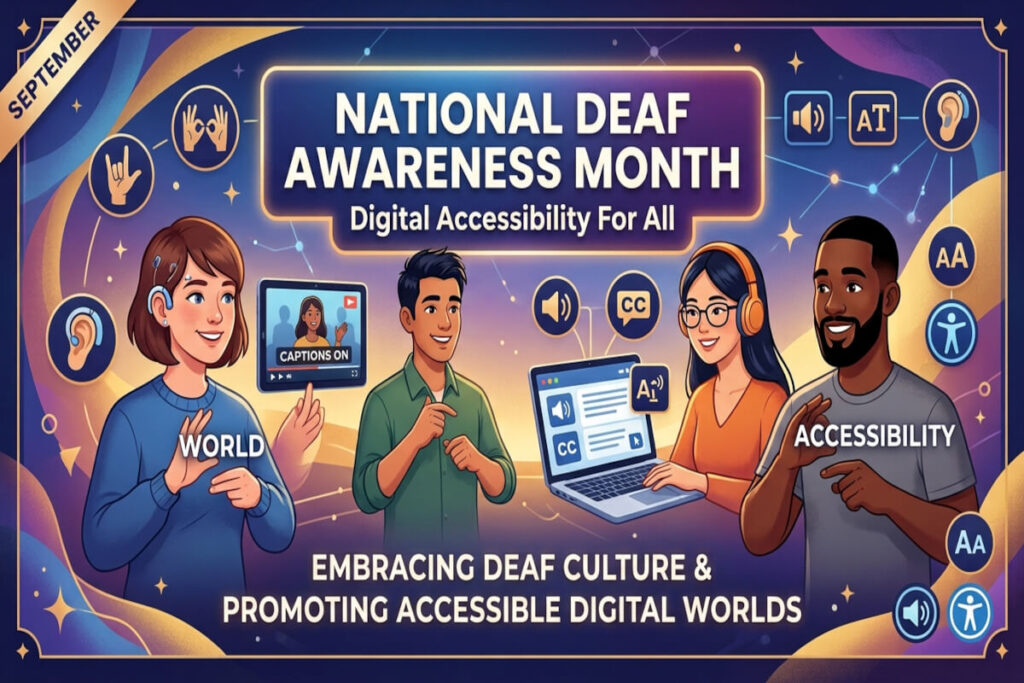
Every September, National Deaf Awareness Month shines a spotlight on the cultural identity, heritage, language, leadership, and achievements of Deaf, Hard of Hearing (HoH), and DeafBlind communities. It’s also a timely opportunity for organizations to ask a harder question: does our digital content actually work for these audiences, or have we just checked a compliance box?
Understanding Deafness as a Spectrum
Deafness isn’t a single condition with a fixed threshold. It’s a spectrum of hearing loss, measured audiologically by the quietest sound level a person can detect:
- Mild (20-40 dB): Whispered conversation or soft sounds are hard to catch, especially in noisy settings.
- Moderate (41-55 dB): Conversational speech becomes difficult without amplification.
- Severe (56-70 dB): Only loud speech or environmental sounds, like a ringing phone, register.
- Profound (71+ dB): Even very loud sounds, like a jet engine, may only register as vibration. This range is functionally defined as deaf.
Being deaf means having little to no functional hearing. Being hard of hearing means retaining some functional residual hearing, typically allowing a person to rely on spoken language, often with the help of hearing technology and visual strategies.
The numbers are significant. An estimated 48 to 50 million Americans live with some degree of hearing loss. Globally, that figure exceeds 1.5 billion people, nearly 20% of the world’s population. Roughly one million people in the U.S. are functionally deaf, depending primarily on sign language, lip-reading, or text.
DeafBlindness: A Distinct and Often Misunderstood Disability
DeafBlindness, or dual sensory impairment, combines hearing and vision loss, but it rarely means total loss of both senses. Most people who are deafblind retain some residual sight, hearing, or both. What makes this disability so challenging is that standard accommodations built for blindness or deafness alone often fall short when both senses are affected simultaneously.
In the United States, an estimated 45,000 to 50,000 people are formally identified as functionally deafblind. Worldwide, the range runs from 0.2% to 2% of the population, translating to somewhere between 16 million and 160 million people.
A personal moment illustrates this well: at a local digital accessibility meet-up, a profoundly deafblind attendee had no way to communicate with most organizers. It was a deaf co-organizer who bridged the gap by signing directly into the palm of the attendee’s hand, a small act that revealed just how creative and human accessible communication has to be.
What WCAG 2.2 Actually Requires
The Web Content Accessibility Guidelines (WCAG) 2.2 address accessibility for people with hearing loss and combined disabilities, though there’s no official “deaf/hard-of-hearing” conformance profile. The criteria apply to content, not to disability categories, so the guidance below reflects a practical impact analysis rather than an official W3C mapping.
Guideline 1.2: Time-Based Media (The Big One)
This is the most consequential guideline for Deaf and HoH users.
1.2.1 Audio-only and Video-only (Prerecorded), Level A requires an alternative for audio-only or video-only content. A five-minute CEO interview needs a transcript. A silent how-to video needs a text alternative that a deafblind user could access too.
1.2.2 Captions (Prerecorded), Level A is arguably the single most important criterion for this community. Captions must go beyond dialogue to capture meaningful non-speech audio, like a door slamming or a phone ringing, and they need speaker identification to avoid ambiguity. Auto-generated captions are not automatically accessible captions; errors in names, technical terms, and negation can flip meaning entirely.
1.2.3 Audio Description or Media Alternative, Level A matters more than people realize for deafblind users. A doctor pointing at an X-ray while saying “the tumor is located here” leaves both channels inaccessible without an alternative that conveys the visual information independently.
1.2.4 Captions (Live), Level AA covers webinars, town halls, earnings calls, and emergency livestreams. A city council meeting streamed without captions doesn’t just inconvenience a hard-of-hearing resident, it excludes them from public participation entirely.
1.2.5 Audio Description, Level AA helps deafblind users when a video demonstrates something silently, like opening a childproof medication bottle. Captions alone won’t communicate the visual steps.
1.2.6 Sign Language, Level AAA recognizes that captions and sign language are not interchangeable. ASL is a distinct language, not English rendered through hand movements. A hospital video with excellent captions but no ASL interpretation still creates a linguistic burden for ASL-first users.
1.2.7 through 1.2.9 (Extended Audio Description, Media Alternative, Audio-only Live) round out the guideline at Level AAA, addressing situations where users shouldn’t have to choose between essential channels of information.
Guideline 1.3: Adaptable Content
1.3.3 Sensory Characteristics, Level A prohibits instructions that rely solely on sound, color, or shape. “Click Submit when you hear the confirmation sound” excludes deaf users entirely; pairing it with a visual cue solves the problem.
Guideline 1.4: Distinguishable
1.4.1 Use of Color, Level A and 1.4.2 Audio Control, Level A prevent designs where a beep is the only failure indicator, or where autoplay audio causes painful feedback for hearing aid and cochlear implant users. 1.4.3 and 1.4.11 Contrast become critical for deafblind users who depend heavily on whatever visual channel remains available to them.
Guideline 2.2: Enough Time
2.2.1 Timing Adjustable, Level A matters because reading captions takes longer than hearing speech. A security verification video with a tight timer disproportionately disadvantages caption users. 2.2.2 Pause, Stop, Hide, Level A protects users who need extra time to process visual status information before it disappears.
Guideline 2.4: Navigable
2.4.6 Headings and Labels, Level AA gives deafblind users using screen readers and refreshable braille displays an efficient way to navigate through headings and landmarks instead of visually scanning a page.
Guideline 3.2: Predictable
Criteria like 3.2.1 On Focus and 3.2.2 On Input prevent jarring, unannounced navigation changes that could disorient a user who can’t rely on either visual or auditory cues to track what just happened.
Guideline 4.1: Compatible
4.1.2 Name, Role, Value, Level A ensures custom interface components expose their state programmatically, so a “Payment successful” message actually reaches a screen reader or braille display, not just sighted users.
4.1.3 Status Messages, Level AA is one of the most overlooked criteria. A form confirmation that appears visually but isn’t announced programmatically may never reach a deafblind screen-reader user, even though a sighted deaf user or a blind hearing user would catch it fine.
DeafBlindness changes the analysis
For someone who is deafblind, providing captions alone is not necessarily sufficient.
Consider a video:
| Content | Deaf user | Blind user | Deafblind user |
|---|---|---|---|
| Spoken dialogue | Captions | Audio | Captions/braille |
| Visual demonstration | Usually available | Audio description | Text/braille equivalent may be needed |
| Sound effects | Captions | Audio | Text/braille equivalent |
| On-screen text | Usually visible | Audio description | Accessible text |
| Speaker identification | Captions | Audio | Text/braille |
| Visual alerts | Visible | Audio | Accessible programmatic/tactile mechanism |
| Audio alerts | Caption/visual indicator | Audible | Visual/tactile/text mechanism |
Emergency Information: Where Theory Meets Life-or-Death Stakes
Nowhere does this framework matter more than emergency communication. An audio-only “evacuate immediately” announcement misses deaf users. A visual-only version misses blind users. A deafblind person may receive neither. True accessibility means layering multiple channels: visual alerts, SMS, vibration, accessible app notifications, captions, and screen-reader-compatible status messages, so that critical information has more than one path to every user.
The same logic applies to customer service. “Call us at 800-555-1234” shuts out users who can’t use voice telephony. Accessible chat, text, email, video relay service, and consistent help mechanisms close that gap.
Compliance Isn’t the Same as Inclusion
Here’s the uncomfortable truth: a website can technically meet WCAG 2.2 AA and still fail Deaf users in practice. Captions might exist but be low quality. Live events might go uncaptioned. ASL interpretation, one of the most valuable accommodations for sign-language users, sits at Level AAA, meaning it isn’t required for standard AA compliance at all.
That’s why the real question organizations should ask isn’t “Did we caption the video?”
It’s:
Can this person receive, understand, navigate, and act on every piece of information that matters, regardless of whether it was originally delivered through sound, sight, or both?
WCAG conformance is the floor. Multimodal communication is the design objective. This National Deaf Awareness Month is a good moment to measure your organization against that higher bar, not just the checklist.
2 thoughts on “Deaf Awareness Month: What Digital Accessibility Requires”