Summary
This is an article in a series of articles on digital accessibility posted on Global Accessibility Awareness Day (GAAD) 2026. Want to celebrate and participate? Share this article with others in your digital world.
Accessibility is often discussed in terms of design systems and engineering standards. But in practice, content is where accessibility either delivers or breaks down.
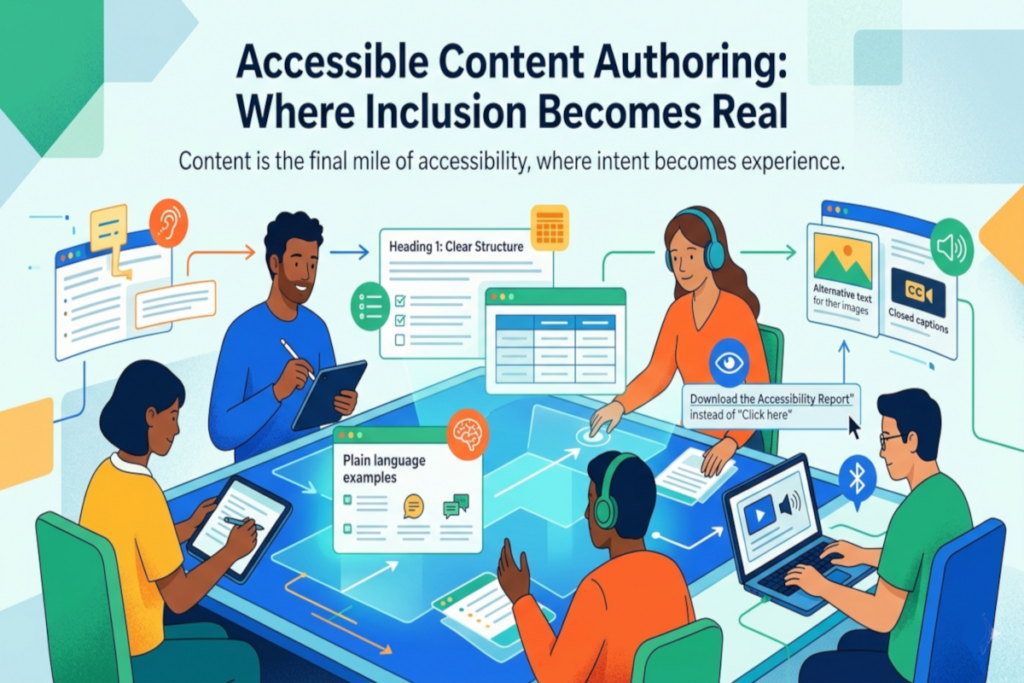
You can have a perfectly compliant interface, yet still exclude users through unclear language, poor structure, or missing alternatives. Content is the final mile of accessibility, and it is where intent becomes experience.
Accessible content authoring is not a constraint. It is a discipline rooted in clarity, structure, and purpose.
Structure Is Not Decoration, It Is Navigation
Headings are more than visual elements. They define how users move through your content.
For screen reader users, headings function like a table of contents. For everyone else, they enable rapid scanning and comprehension.
A common failure point is treating headings as styling tools rather than structural markers. When heading levels are skipped or used inconsistently, the content becomes fragmented and harder to interpret.
In practice:
- A product page with properly nested headings allows a user to jump directly from “Features” to “Pricing” without reading everything in between.
- A poorly structured page forces users to navigate linearly, increasing friction and frustration.
Structure should always reflect meaning, not appearance.
Links Should Communicate, Not Obscure
“Click here” is not just unhelpful, it is exclusionary.
Links need to stand on their own. Users navigating by links, especially those using assistive technologies, often encounter them out of context. If the purpose is unclear, the experience breaks down.
In practice:
- “Download the accessibility report” provides immediate clarity.
- “Click here” forces users to guess, or worse, investigate.
Descriptive links reduce cognitive effort and improve efficiency for all users.
Plain Language Is a Strategic Advantage
There is a persistent misconception that plain language dilutes meaning. In reality, it sharpens it.
Clear, direct writing improves comprehension across the board, particularly for users with cognitive disabilities, non-native speakers, and anyone under time pressure.
In practice:
- Replacing “utilize” with “use” is not simplification, it is precision.
- Breaking a dense paragraph into shorter sentences can transform usability without changing the message.
Plain language is not about lowering the bar. It is about removing unnecessary barriers.
Lists and Tables: Structure Matters Under the Surface
Visual formatting alone is not enough. Lists and tables must be programmatically defined so assistive technologies can interpret them correctly.
When markup is missing or misused, content that appears organized visually becomes chaotic when announced by a screen reader.
In practice:
- A properly coded list allows users to hear how many items it contains and navigate item by item.
- A table with clear headers enables users to understand relationships between data points, rather than hearing disconnected values.
Well-structured content is not just seen, it is understood.
Media Without Alternatives Is Incomplete
Images, videos, and audio introduce rich context, but without alternatives, they also introduce exclusion.
Accessible content ensures that every non-text element has an equivalent experience.
In practice:
- Alt text allows a blind user to understand the purpose of an image on an e-commerce site.
- Captions make video content usable in both noisy environments and for users who are deaf or hard of hearing.
- Transcripts provide a searchable, flexible way to consume audio content.
If the information is worth presenting, it is worth making accessible.
Consistency Reduces Cognitive Load
Inconsistent patterns force users to relearn your interface with every interaction. Consistency, on the other hand, builds familiarity and trust.
This applies to headings, link styles, terminology, and overall formatting.
In practice:
- If one page uses clear, descriptive links and another reverts to vague language, users must adjust their expectations.
- Consistent structure allows users to predict where information will appear and how to interact with it.
Accessibility is not just about removing barriers, it is about creating reliable experiences.
Accessibility Is Authored, Not Applied
Accessible content is not something you fix at the end. It is something you create intentionally from the start.
When content teams understand their role in accessibility, the impact is immediate and scalable. Every article, product description, and help document becomes part of a more inclusive ecosystem.
Call to Action
Build a content accessibility checklist and make it part of your publishing workflow. Then share it across teams.
Because accessibility at scale does not come from isolated expertise. It comes from consistent, informed authoring decisions made every day.