Summary
This is an article in a series of articles on digital accessibility posted on Global Accessibility Awareness Day (GAAD) 2026. Want to celebrate and participate? Share this article with others in your digital world.
Automated accessibility testing has earned its place as a cornerstone of modern digital quality assurance. It is fast, scalable, and genuinely effective at surfacing many of the most common technical issues before they reach end users. For development teams working at speed and scale, automation is not optional; it is essential infrastructure.
But here is the leadership insight that too many organizations miss: automation and accessibility are not synonymous. Treating them as equivalent is one of the most consequential mistakes a digital team can make.
The Confidence Gap
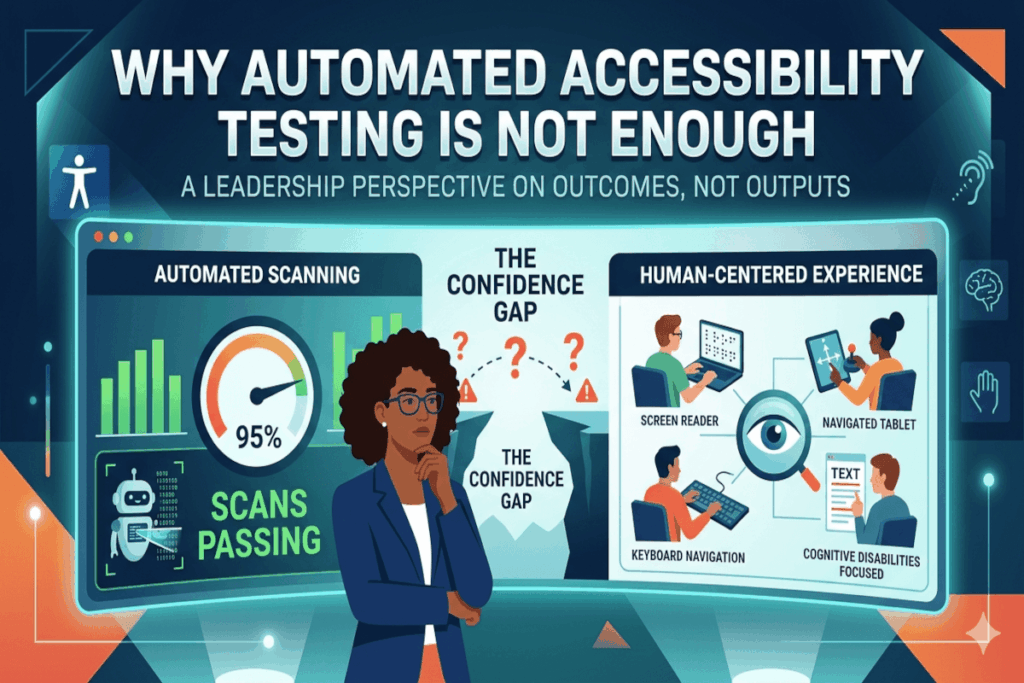
Organizations that rely exclusively on automated testing often develop what might be called a confidence gap: a widening distance between what their tools report and what their users actually experience. Scans pass. Dashboards turn green. Leadership feels reassured. And somewhere, a user with a screen reader is hitting a wall.
This gap is not the result of bad intentions. It is the result of misunderstanding what automation was designed to do and, more importantly, what it was never designed to do.
What Automated Tools Do Exceptionally Well
To be clear, automated tools deliver real and measurable value. They are particularly effective at identifying rule-based, binary issues where something is either present or absent, correct or incorrect. These include:
Missing alternative text on images, empty buttons or links that provide no context to assistive technologies, certain color contrast failures, missing or improperly associated form labels, specific misuses of ARIA attributes, and structural markup problems that break semantic meaning.
When embedded into development pipelines, design systems, and continuous integration workflows, these tools become a powerful first line of defense. They catch regressions early, reduce repeatable errors, and free up human reviewers to focus on higher-order judgment calls. Used in this way, automation is a genuine accelerant for accessibility maturity.
Where Automation Reaches Its Limits
The deeper challenge lies in what automated tools cannot evaluate: the quality of the human experience.
Consider alt text. A tool can confirm that an alt attribute exists. It cannot tell you whether the description is meaningful, contextually accurate, or actually useful to someone who cannot see the image. The difference between an image tagged “image001.jpg” and one described as “bar chart showing 40% increase in customer satisfaction from Q1 to Q3” is invisible to a scanner but profoundly significant to a blind user.
The same principle applies across a wide range of accessibility considerations. Automated tools cannot reliably assess whether keyboard navigation follows a logical and intuitive sequence, whether instructions are written clearly enough for users with cognitive disabilities, whether error messages provide actionable guidance, whether focus management behaves correctly inside dynamic or single-page interfaces, whether screen reader output is coherent rather than merely technically present, or whether a user can successfully complete a critical task from beginning to end.
That last point deserves particular emphasis. A tool may report full technical compliance while real users, with real assistive technologies, in real conditions, are still unable to accomplish what they came to do. Compliance is not the goal. Usability is.
Reframing Accessibility as Outcomes, Not Outputs
Accessibility, at its core, is about outcomes: whether people can perceive, understand, navigate, and complete tasks effectively. It is a measure of lived experience, not code quality.
This distinction has profound implications for how leaders should think about measurement. The common question “What percentage accessible are we based on our scans?” reflects a category error. Scan coverage is a proxy metric. It may tell you something about your tooling. It tells you very little about your users.
More meaningful questions sound like: Can a person using a screen reader complete our checkout process independently? Can a user with motor impairments navigate our application using only a keyboard? Can someone with low vision read and act on our error messages? These are outcome-based questions, and they require human investigation to answer.
The Layered Model That High-Performing Programs Use
The most mature and effective accessibility programs do not choose between automation and human testing. They build a layered model that uses each approach for what it does best.
Automated testing provides speed and scale, catching rule-based issues continuously and systematically. Manual expert review adds nuance, evaluating interaction quality, content clarity, and the logic of user flows that no algorithm can fully assess. Assistive technology testing, conducted by trained evaluators using screen readers, switch controls, voice recognition software, and other tools, reveals how real-world behavior diverges from technical expectations. And direct feedback from users with disabilities brings irreplaceable lived experience to the process, surfacing barriers that neither automation nor expert review would have predicted.
Together, these layers produce something that no single method can achieve alone: reliable, human-centered insight into whether your product actually works for the people who depend on it.
The Leadership Imperative
For technology and product leaders, the actionable takeaway is this: automation is a powerful input, not a final verdict. Elevating it to the role of primary evidence introduces organizational risk, legal exposure, and real harm to real users.
The organizations that lead on accessibility do not ask whether their scans are passing. They ask whether their users are succeeding.
Review your current testing program today. Identify what critical user experience checks are absent beyond automated scans, and build the human and experiential layers your program is missing.